周报-第6期:解决Windows平台Shift+F6被占用
.png)
Windows查看快捷键占用程序
使用openark即可
实际并不是很准确,我就没找到占用Shift+F6的程序是哪个。
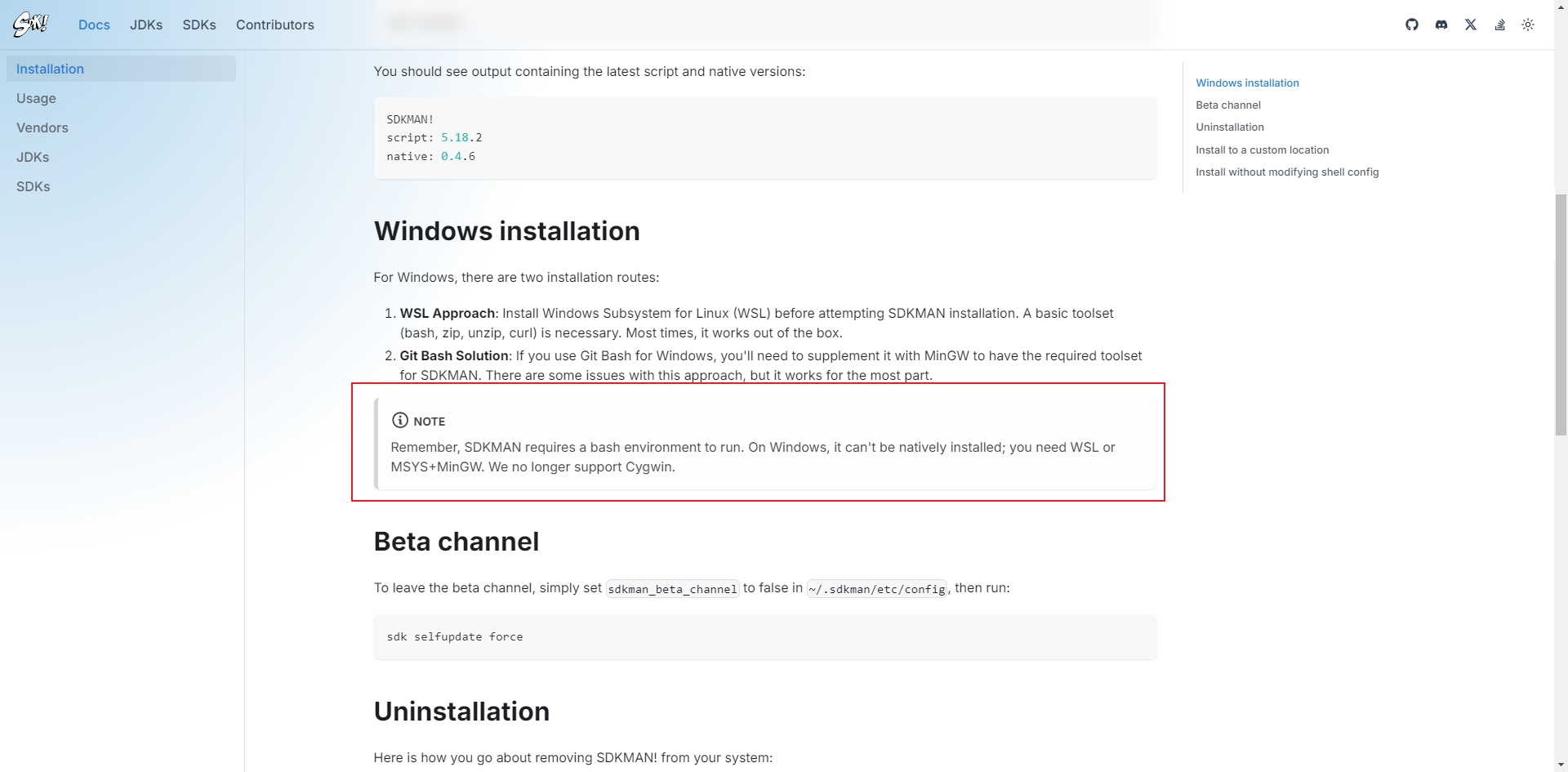
解决Windows平台 IDEA Shift+F6 快捷键冲突
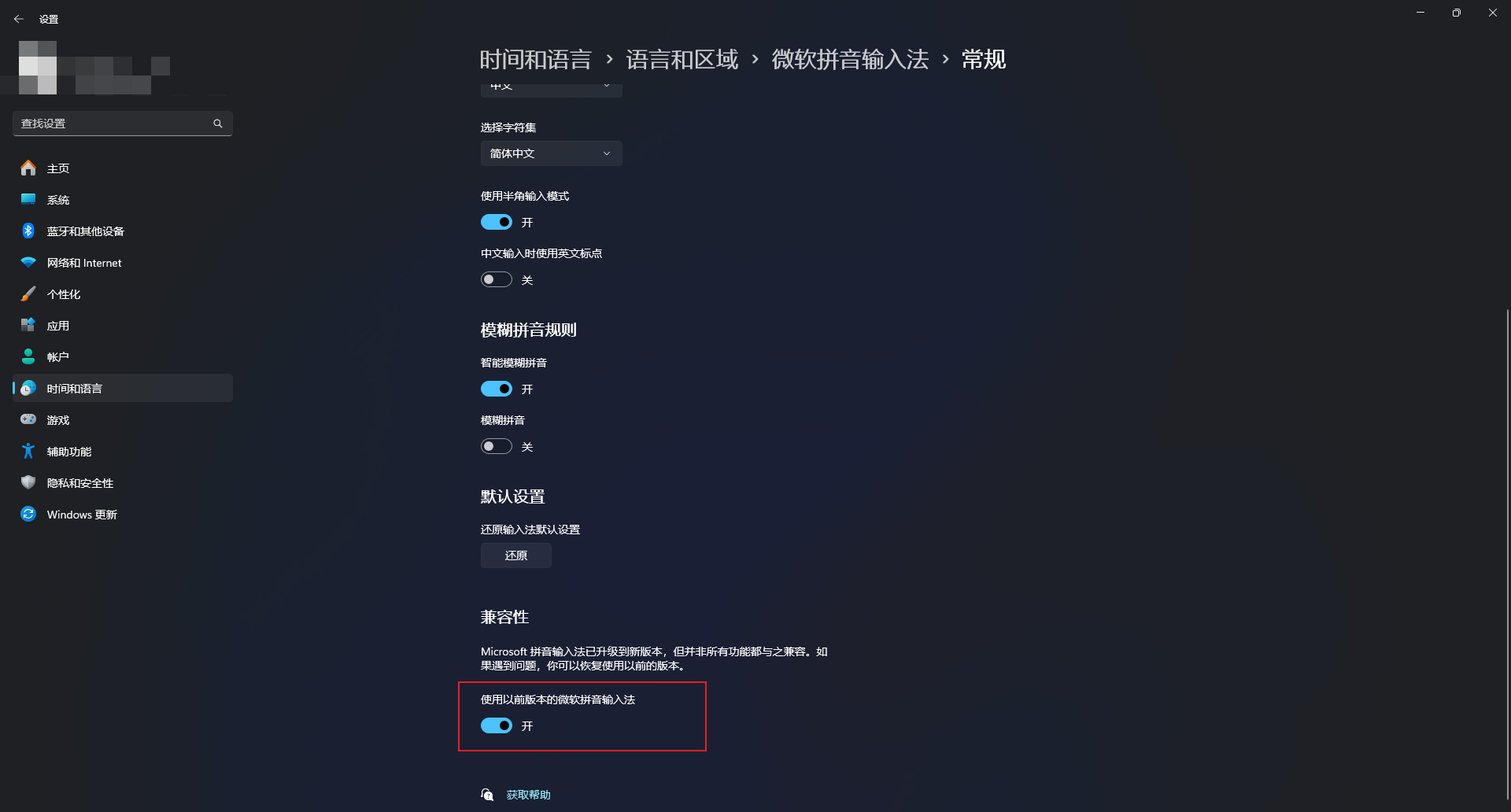
实际是因为微软拼音输入法占用了,需要开启兼容模式
使用openark即可
实际并不是很准确,我就没找到占用Shift+F6的程序是哪个。
实际是因为微软拼音输入法占用了,需要开启兼容模式
这个话题还是很有意思的,银行卡号有点类似于身份证号的设计。
银行卡的卡号长度及结构符合ISO 7812-1 有关规定,由13-19位数字表示,具体由以下几部分组成:
| 发卡行标识代码 | 自定义位 | 校验位 |
|---|---|---|
| XXXXX | X……X | X |
其中校验位是通过一个名为Luhn的校验算法得出的。
然而实际上一些商业银行不遵守这个规范,所以导致Luhn设计被废弃了,具体可以见这个Github Issue的讨论。
现在更推荐使用一些开放平台提供的API接口来实现,比如支付宝开放平台以及中国银联开放平台。
中国银联开放平台有准入门槛,需要先申请,如果只是做银行卡是否有效的验证,不校验对应所有人身份信息的话可以直接用支付宝提供的接口。
接口请求示例:
1 | curl "https://ccdcapi.alipay.com/validateAndCacheCardInfo.json?_input_charset=utf-8&cardNo=银行卡卡号&cardBinCheck=true" |
比如我们请求:
1 | curl https://ccdcapi.alipay.com/validateAndCacheCardInfo.json?_input_charset=utf-8&cardNo=6214832018989180&cardBinCheck=true |
我们可以拿到请求结果为:
1 | { |
bank字段返回的CMB则可以通过支付宝开放平台-文档中心:银行简码——混合渠道查阅得知这是招行银行的卡cardType字段则用于区分是借记卡(DC)还是贷计卡(CC)这里需要注意的是支付宝开放平台-文档中心:银行简码——混合渠道这篇文章是2015年所写的,一直也没有更新,只是个局部参考,如果真的要相对稳定的接口,还是建议使用中国银联开放平台。
注:
- 支付宝开放平台-文档中心:银行简码——混合渠道这篇文章是2015年所写的,一直也没有更新,只是个局部参考,如果真的要相对稳定的接口,还是建议使用中国银联开放平台;
- 支付宝的这个接口其实也支持其他卡组织的卡号校验(境外卡号我没有试过);
本文参考:
oh-my-zsh的Github仓库地址:https://github.com/ohmyzsh/ohmyzsh
oh-my-zsh安装之前必须要先将shell环境切换成zsh
https://github.com/ohmyzsh/ohmyzsh/wiki/Installing-ZSH
1 | sudo yum update && sudo yum -y install zsh && \ |
1 | sudo apt install -y zsh && \ |
1 | sh -c "$(curl -fsSL https://raw.githubusercontent.com/ohmyzsh/ohmyzsh/master/tools/install.sh)" |
或者
1 | sh -c "$(wget -O- https://raw.githubusercontent.com/ohmyzsh/ohmyzsh/master/tools/install.sh)" |
国内安装特别慢,建议使用魔法
一键安装脚本:
第五行中是针对第一次安装oh-my-zsh的的内容做文本替换,如果不是第一次安装会替换失败,需要自己手动维护plugins和ZSH_THEME
1 | git clone --depth=1 https://github.com/zsh-users/zsh-autosuggestions ${ZSH_CUSTOM:-~/.oh-my-zsh/custom}/plugins/zsh-autosuggestions && \ |
介绍: 可以根据历史记录提供提示命令
github地址: https://github.com/zsh-users/zsh-autosuggestions
安装教程: https://github.com/zsh-users/zsh-autosuggestions/blob/master/INSTALL.md
1 | git clone --depth=1 https://github.com/zsh-users/zsh-autosuggestions ${ZSH_CUSTOM:-~/.oh-my-zsh/custom}/plugins/zsh-autosuggestions |
1 | plugins=(zsh-autosuggestions) |
介绍: 一键解压,不用再去记tar各种命令
github地址: https://github.com/ohmyzsh/ohmyzsh/tree/master/plugins/extract
不需要安装直接在plugins中增加extract即可
介绍: 命令高亮提示
github地址: https://github.com/zsh-users/zsh-syntax-highlighting
1 | git clone --depth=1 https://github.com/zsh-users/zsh-syntax-highlighting.git ${ZSH_CUSTOM:-~/.oh-my-zsh/custom}/plugins/zsh-syntax-highlighting |
1 | plugins=( [plugins...] zsh-syntax-highlighting) |
介绍:直接在终端界面打开对应仓库的页面信息
1 | git clone --depth=1 https://github.com/paulirish/git-open.git $ZSH_CUSTOM/plugins/git-open |
powerlevel10k/powerlevel10k
github地址: https://github.com/romkatv/powerlevel10k
1 | git clone --depth=1 https://github.com/romkatv/powerlevel10k.git ${ZSH_CUSTOM:-~/.oh-my-zsh/custom}/themes/powerlevel10k |
然后修改.zshrc
1 | ZSH_THEME="powerlevel10k/powerlevel10k" |

最近得益于阿里云盘的收割计划,大家对于个人影视库的搭建方案开启了新的探索,在此我也蹭蹭热点,分享一下我的个人影视库搭建方案。